
Презентация к уроку на тему:

How to Read Smarter

Презентация для урока английского языка в 6–8 классе о стратегиях skimming и scanning. На слайдах — термины, наглядные сравнения, научный текст о Марсе, задания на поиск главной идеи, ключевых слов, чисел и фактов, командная работа и домашнее задание.
Английский язык9 класс10 слайдов
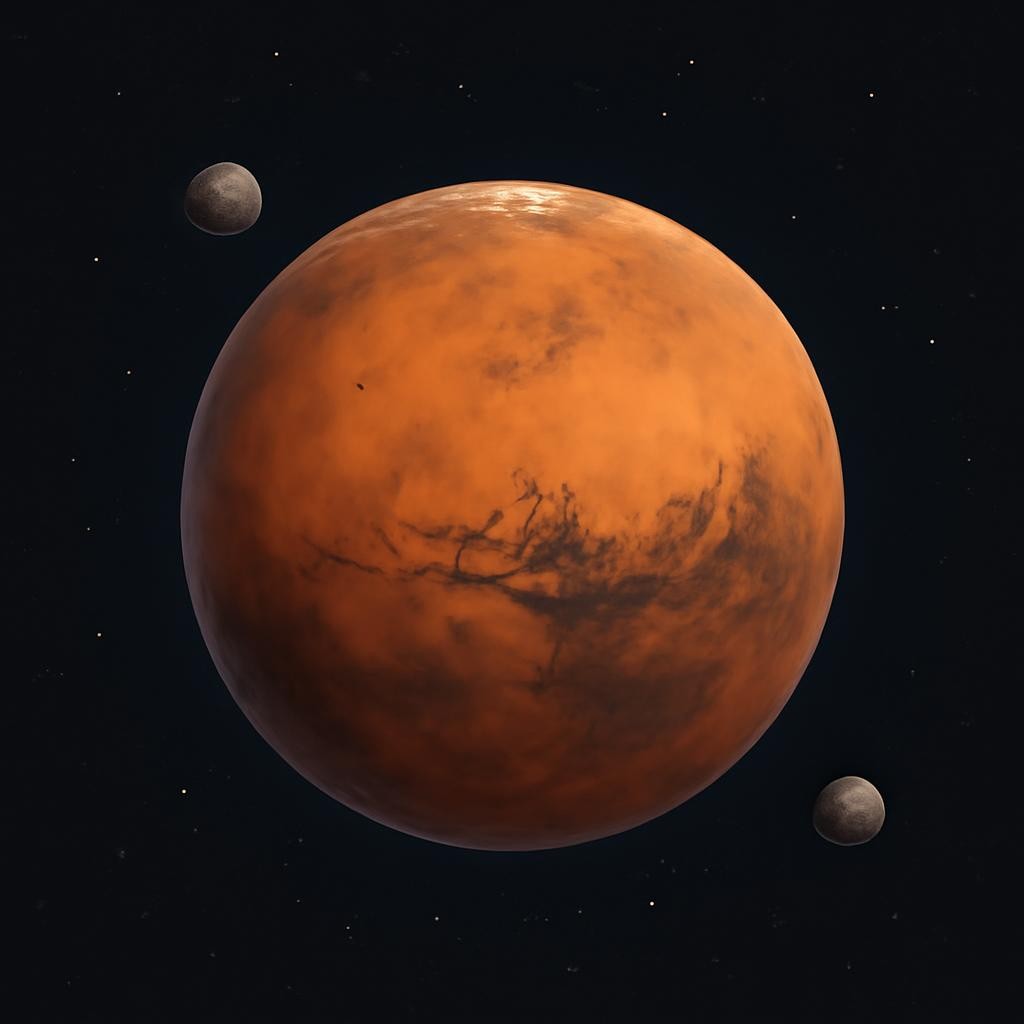
Practice: The Red Planet
Mars is the fourth planet from the Sun. It is often called the 'Red Planet' because of iron oxide on its surface. It has two moons, Phobos and Deimos. A day on Mars is 24.6 hours. Scientists are looking for signs of ancient life in its soil.
Слайд 6 «Practice: The Red Planet» — иллюстрация к презентации «How to Read Smarter» по английскому языку для 9 класса

Посмотрите презентацию целиком

Открыто 5 из 10 слайдов — зарегистрируйтесь и скачайте в PDF или PPTX

Task: Mars Challenge
Task 1: Skim
Read for 30 seconds. What is the main idea of the text?
Task 2: Scan
Find the names of the two moons.
Task 3: Scan
How long is a day on Mars?
Task 4: Discuss
Compare your answers with a partner.

Посмотрите презентацию целиком

Открыто 5 из 10 слайдов — зарегистрируйтесь и скачайте в PDF или PPTX

Team Challenge
Group A
Skim the provided text. Create a new catchy heading for it.
Group B
Scan the text. Find 3 specific numbers or dates mentioned.
Group C
Identify 5 keywords that describe the text's topic.

Посмотрите презентацию целиком

Открыто 5 из 10 слайдов — зарегистрируйтесь и скачайте в PDF или PPTX

The more that you read, the more things you will know. The more that you learn, the more places you'll go.

Посмотрите презентацию целиком

Открыто 5 из 10 слайдов — зарегистрируйтесь и скачайте в PDF или PPTX

Exit Ticket & Homework
  • Briefly explain the difference between skimming and scanning
  • Give one example of when you use scanning in real life
  • Homework: Find a short science article
  • Write down 5 keywords from your chosen article

Посмотрите презентацию целиком

Открыто 5 из 10 слайдов — зарегистрируйтесь и скачайте в PDF или PPTX

1 / 10
Текст презентации
  1. Слайд 1. How to Read Smarter

    Mastering Skimming and Scanning Techniques

  2. Слайд 2. Lesson Objectives

    Understand the difference between skimming and scanning

    Learn to identify keywords and headings

    Practice speed reading strategies on science texts

    Improve information location skills

  3. Слайд 3. Warm-up: Which One is Faster?

    A quick update about a local event. Usually 2-3 sentences long. High information density.

    A detailed 5-page report on climate change. Contains data, analysis, and multiple sections.

  4. Слайд 4. Vocabulary Focus

    Scan — to look for specific information

    Skim — to read quickly for the main idea

    Keyword — a word that captures the essence of a topic

    Heading — a title at the head of a page or section

    Detail — an individual fact or item

    Locate — to find the exact position of something

  5. Слайд 5. Skimming vs. Scanning

    Skimming is like flying in a plane over a forest. You see the whole forest, the big picture, and the general shape of the land.

    Scanning is like looking for a specific bird in one tree. You ignore everything else and look only for that one specific thing.

  6. Слайд 6. Practice: The Red Planet

    Mars is the fourth planet from the Sun. It is often called the 'Red Planet' because of iron oxide on its surface. It has two moons, Phobos and Deimos. A day on Mars is 24.6 hours. Scientists are looking for signs of ancient life in its soil.

  7. Слайд 7. Task: Mars Challenge

    Read for 30 seconds. What is the main idea of the text?

    Find the names of the two moons.

    How long is a day on Mars?

    Compare your answers with a partner.

  8. Слайд 8. Team Challenge

    Skim the provided text. Create a new catchy heading for it.

    Scan the text. Find 3 specific numbers or dates mentioned.

    Identify 5 keywords that describe the text's topic.

  9. Слайд 9. The more that you read, the more things you will know. The more that you learn, the more places you'll go.

  10. Слайд 10. Exit Ticket & Homework

    Briefly explain the difference between skimming and scanning

    Give one example of when you use scanning in real life

    Homework: Find a short science article

    Write down 5 keywords from your chosen article

Создайте уникальную презентацию по своей теме

  • Любая тема, любой класс
  • Иллюстрации к каждому слайду
  • 18 стилей оформления
  • Таблицы, схемы и диаграммы
  • Экспорт в PDF и PPTX
  • Готово за 1 минуту

Другие темы по английскому языку для 9 класса

Чем удобны презентации Нейрум

  • Слайды с иллюстрациямиК каждому слайду — картинка, таблица или схема по теме. Открыли на доске и повели урок, без поиска картинок.
  • PDF или PPTXСкачайте презентацию как есть или откройте в PowerPoint и доработайте под свой класс.
  • Своя презентация за минутуНе нашли нужную? ИИ-конструктор соберёт презентацию по вашей теме, классу и количеству слайдов.

Вопросы и ответы

Как скачать презентацию «How to Read Smarter»?

Зарегистрируйтесь бесплатно — презентация «How to Read Smarter» сохранится в личном кабинете, откуда её можно скачать в PDF или PPTX и показать классу.

Сколько слайдов в презентации «How to Read Smarter»?

В презентации 10 слайдов по теме «How to Read Smarter» для урока по английскому языку в 9 классе: заголовки, текст, иллюстрации, таблицы и схемы. Здесь открыты первые пять — остальные после регистрации.

Соответствует ли презентация «How to Read Smarter» ФГОС?

Да, слайды по теме «How to Read Smarter» построены по школьной программе по английскому языку для 9 класса по ФГОС.

Можно ли сделать похожую презентацию по теме «How to Read Smarter»?

Да. ИИ-конструктор Нейрума соберёт свою презентацию по теме «How to Read Smarter» под ваш класс и нужное число слайдов — за минуту.

Как получить рабочий лист и план урока к теме «How to Read Smarter»?

В Нейруме к теме «How to Read Smarter» можно собрать рабочий лист с заданиями и ответами и план урока по ФГОС для 9 класса — в конструкторе после бесплатной регистрации.

Можно ли изменить слайды под свой класс?

Да. После регистрации презентация «How to Read Smarter» открывается в редакторе: текст, картинки и порядок слайдов можно поменять или перегенерировать.